Appearance
Transmittal Registry
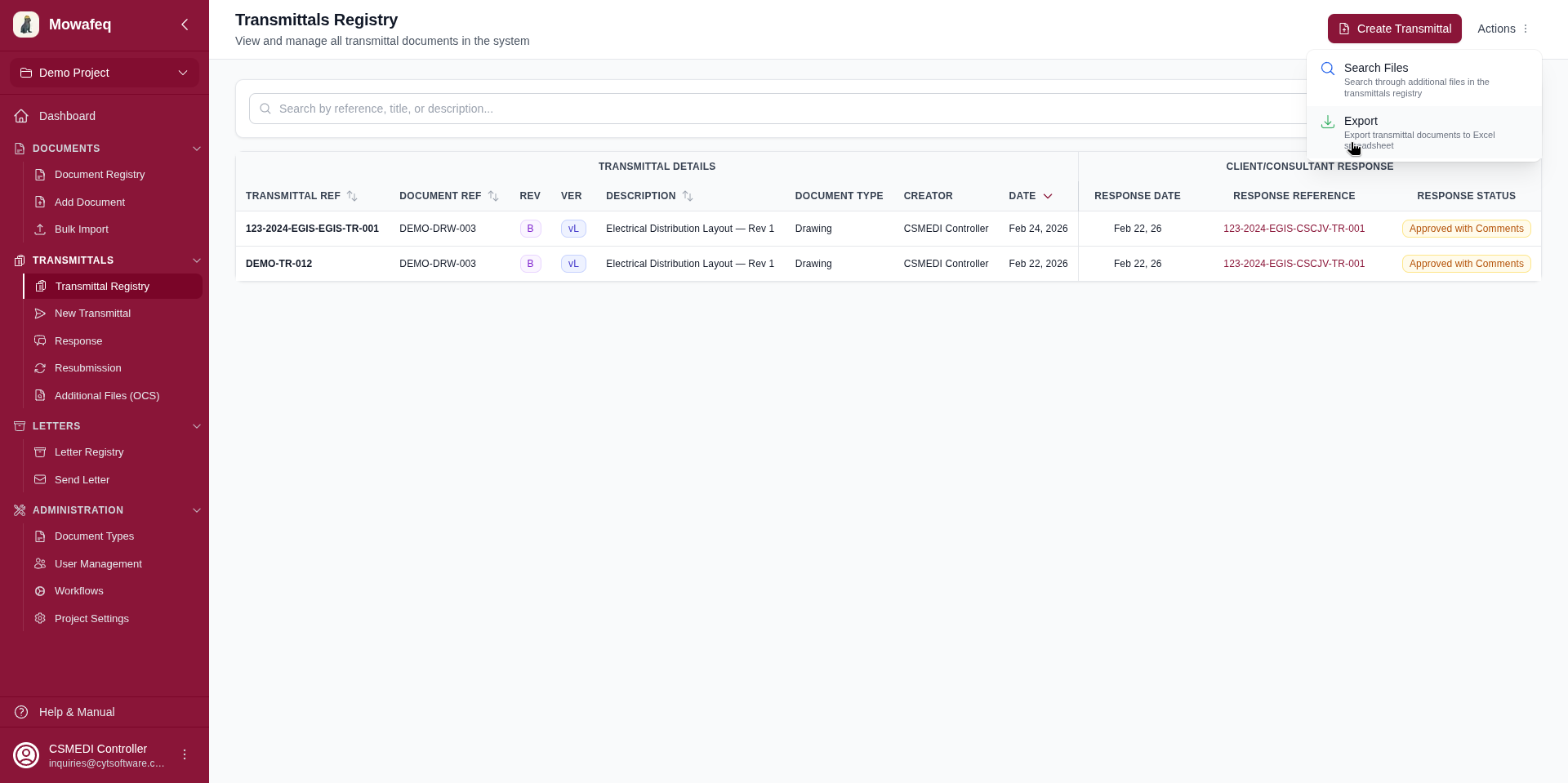
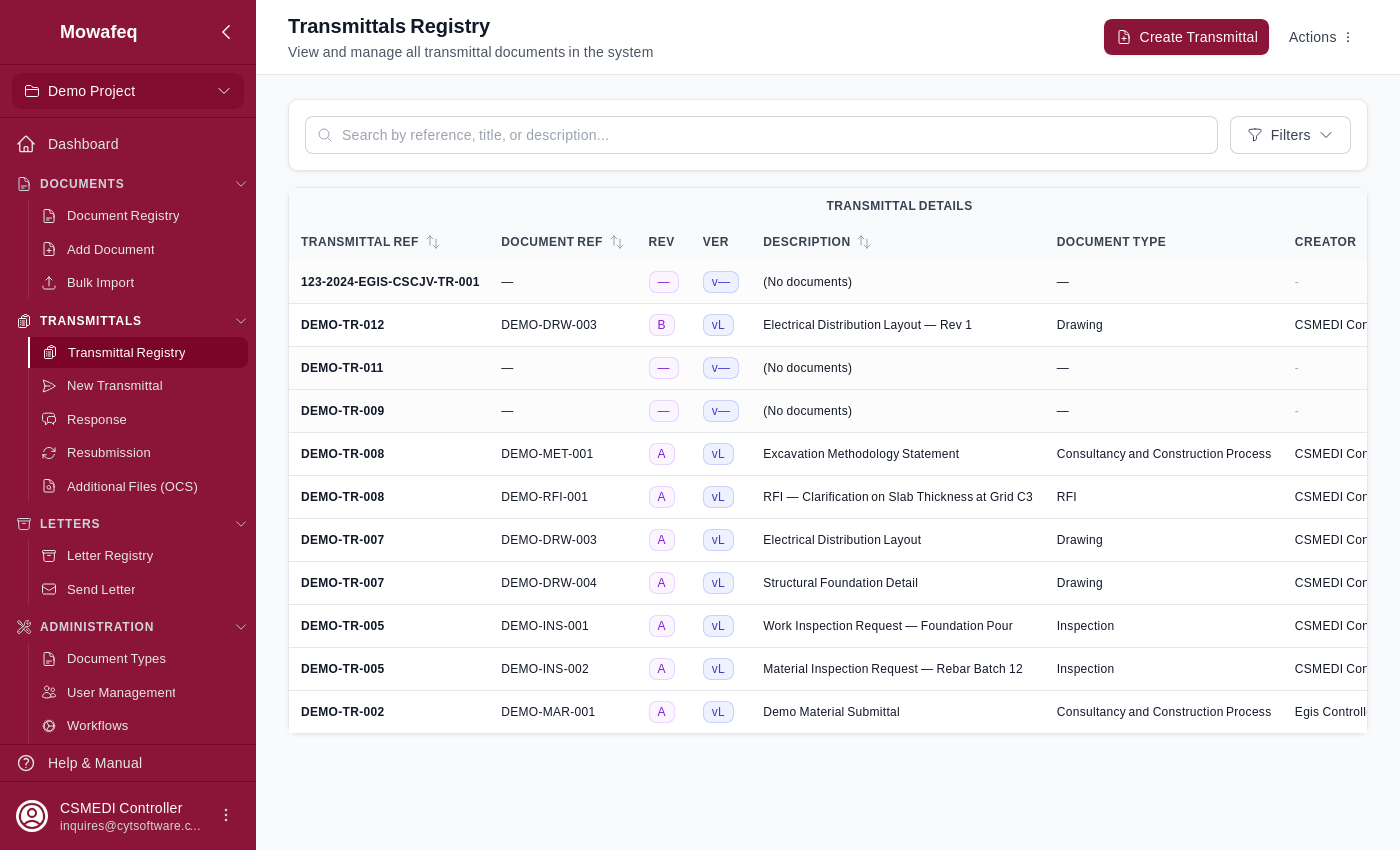
The transmittal registry displays a document-centric view: each row represents one document within a transmittal. A transmittal containing 5 documents appears as 5 rows.
Video Walkthrough
Learn how to navigate and use the transmittal registry.
Navigating: Click "Transmittals Registry" in the sidebar.
Columns
| Column Group | Column | Description |
|---|---|---|
| Transmittal Details | Transmittal Ref | Transmittal reference number (with CC badge for CC-received items) |
| Document Ref | Document reference number | |
| Rev | Revision letter/number (badge) | |
| Ver | Version number (badge) | |
| Description | Document title | |
| Document Type | Type of the document | |
| Creator | User who created the document | |
| Purpose | From the "document-issued" custom field | |
| Stage | Open, Closed, Superseded, or Cancelled (badge) | |
| Date | Transmittal creation date | |
| Response | Response Date | Date of the response to this document; a dash when it has none |
| Response Reference | Clickable reference of the response to this document; a dash when it has none. Cancelled responses carry a Cancelled label. | |
| Response Status | Status given in the response to this document (colored badge); a dash when it has none |
Filters
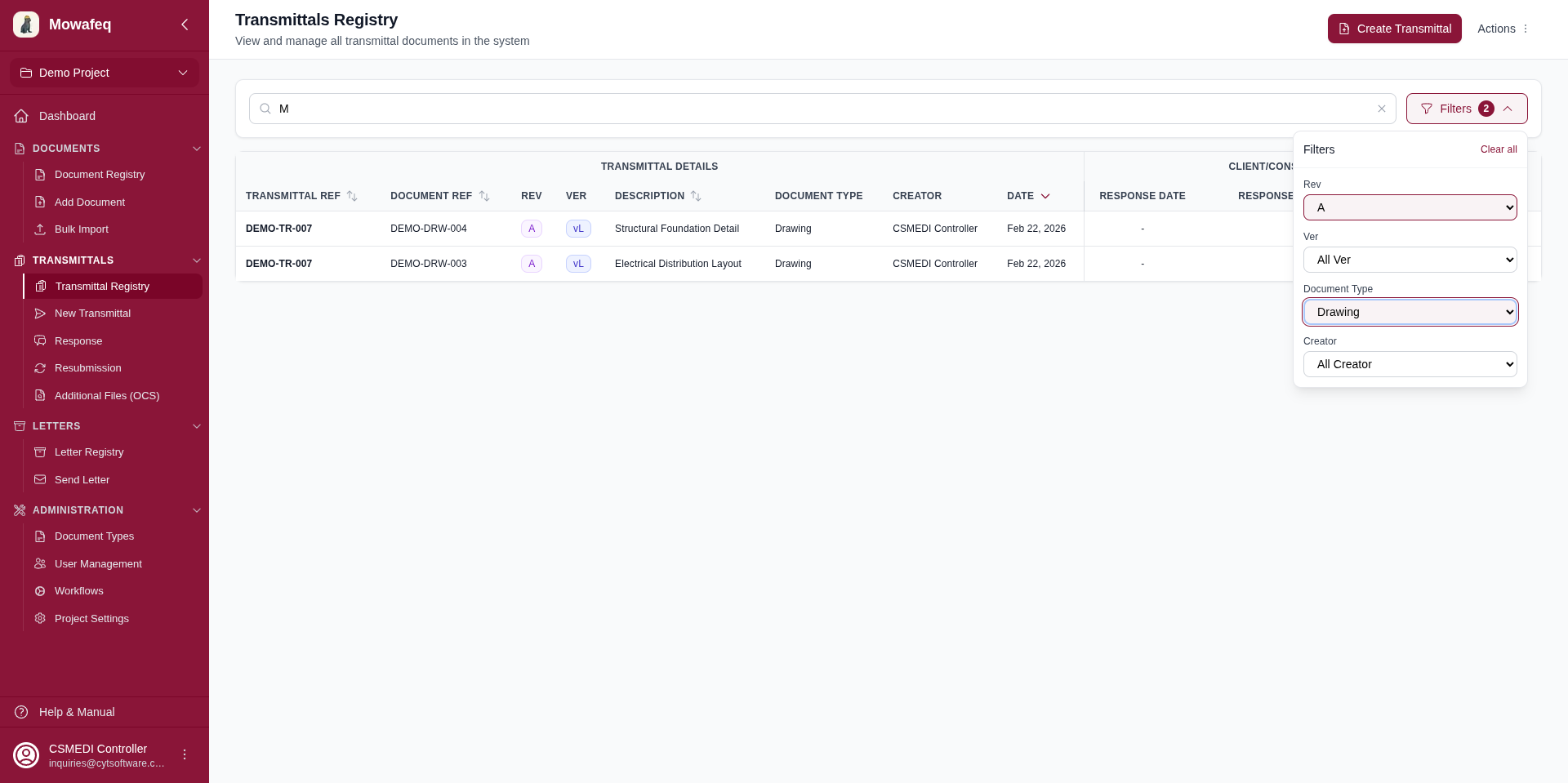
- Search: Matches across transmittal number, document reference, document title, and response transmittal number.
- Revision: Exact match on revision letter/number.
- Version: Latest or Superseded.
- Document Type: Filter by type.
- Purpose: Filter by the "document-issued" custom field value.
- Stage: Filter by the "document-issue-stage" custom field value.
- Status: Filter by lifecycle status (Active / Closed / Superseded).
- Area: Substring match on document reference number.
- Created By: Filter by document creator.
An "Advanced Filters" panel provides additional revision and version filter controls.
Pagination and Export
Choose 10, 20, 50, or 100 items per page. Export all filtered results as an Excel spreadsheet.